
MAGICCUT STUDIOS · TORONTO & GTA
Personal Branding Photography vs. Headshots: What’s the Difference?
A polished profile photo introduces you. A set of brand images helps people understand what you do, how you work, and what it might feel like to work with you. Both can support your business, but they solve different communication needs.
If you’re exploring personal branding photography in Toronto or updating your professional headshot, start with where the images will appear. A LinkedIn profile and a new website usually call for different kinds of coverage.
The quick answer: A headshot centres on your face and professional presence. Personal branding photography creates a broader visual story around you, your work, and your business. A branding session can include headshots when they are part of the plan.
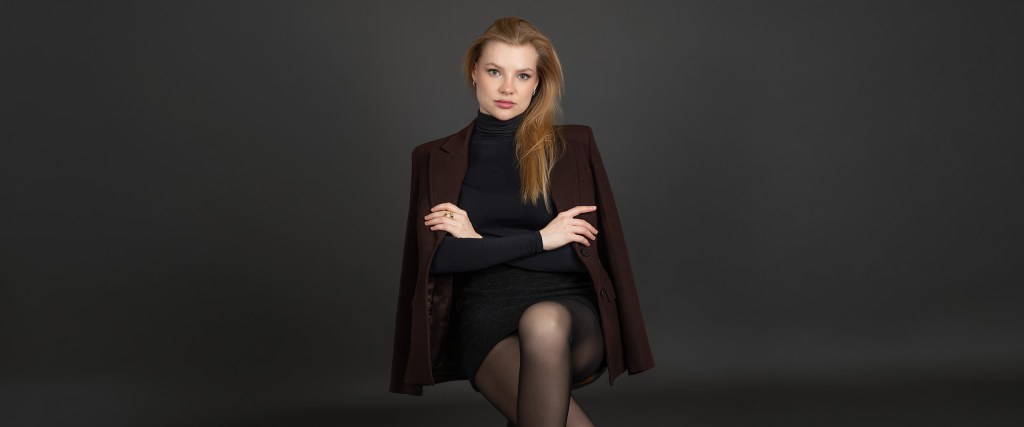
In this guide: Compare the options · Use cases · What to expect · How to choose · FAQs
What is the difference?
Headshots: a clear professional introduction
A professional headshot is usually a close portrait with attention on your expression, eye contact, and face. The background, lighting, and crop support that focus. It should still look recognizably like you, whether your industry calls for a formal presentation or a more relaxed style.
For professionals seeking professional headshots in Toronto, common uses include LinkedIn, company biographies, speaker profiles, and staff directories. The aim is a versatile image that remains clear even in a small profile circle.
Personal branding: a fuller picture of your work
Personal branding photography connects your portrait with the wider context of your business. That might mean an environmental portrait, a working moment, a detail of your tools, or an image with space for website copy. Each photograph should have a purpose in your marketing.
Business branding photography can also extend beyond one person to show a team, a workspace, or a service experience. The right scope depends on what your audience needs to see before taking the next step.
Headshots vs. personal branding photography
| Consideration | Headshots | Personal branding |
|---|---|---|
| Main purpose | Introduce the person clearly. | Show the person, their work, and their brand context. |
| Typical framing | Head and shoulders or a tighter portrait. | A mix of close portraits, wider scenes, and details. |
| Best uses | Profile photos, biographies, and team directories. | Websites, service pages, social content, and campaigns. |
| Planning focus | Expression, background, wardrobe, and crop. | Audience, messages, locations, shot list, and image placements. |
| Visual variety | A focused set of portrait options. | A broader collection shaped around agreed business needs. |
These are typical differences, not fixed package inclusions. Confirm the session scope, number of finished images, and intended uses before booking.
Which images will you actually use?
When a headshot is the right fit
Choose a focused headshot session when your immediate priority is a current, consistent professional portrait. A Toronto consultant refreshing a LinkedIn profile, a new team member joining a company website, or a speaker preparing an event biography may need only a small selection of strong portraits.
- Your existing photo no longer reflects how you look.
- Your company needs a consistent style across its team page.
- You have a specific profile or biography to update.
When a branding session makes more sense
A broader session is useful when several parts of your marketing need original imagery. For example, a GTA business owner launching a website might need a welcoming portrait for the About page, a working scene for a service page, and a horizontal image for the homepage.
- You are launching a business, service, or refreshed website.
- You want a useful library of images for ongoing content.
- Your audience needs to understand your process or working environment.
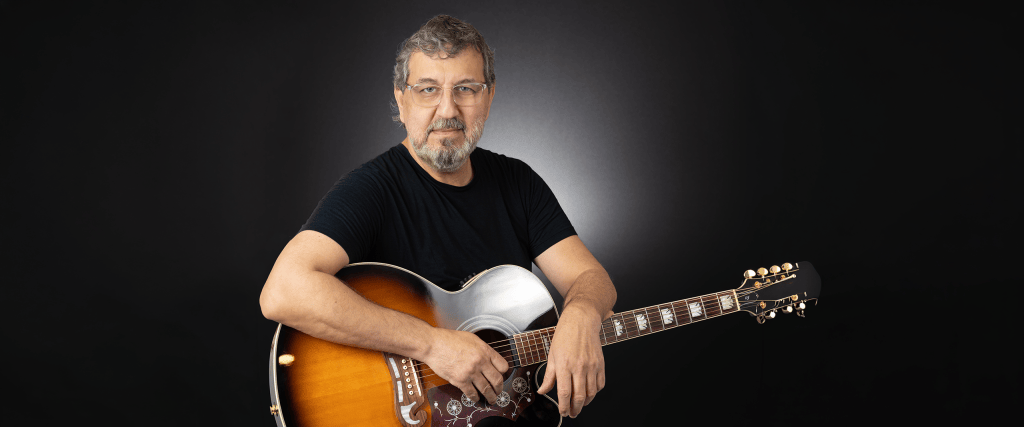
What to expect when planning your session
1. Start with the places your images will appear
List your priorities: LinkedIn, a website banner, an About page, a newsletter, or a campaign. Share layout examples where possible. A wide banner needs different framing from a square profile photo, and planning for both helps avoid awkward crops later.
2. Agree on a practical shot list
For headshots, discuss the background, expression, and overall impression you want. For branding, add scenes that communicate something specific about your work. Bring relevant tools or materials only when they belong naturally in the story.
3. Choose a setting that fits your business
A studio can offer a clean, controlled look. An office or other suitable location can add context. Across Toronto and the GTA, travel time, access, parking, and any location permissions are worth discussing. For outdoor ideas, agree on a weather alternative.
4. Clarify the finished deliverables
Before booking, ask about session length, outfit changes, image selection, retouching, delivery timing, and usage rights. Discuss whether you need both high-resolution files and web-ready versions. These details vary by package and should be confirmed for your session.
How to choose the right photography for your next step
Start with the job you need the photographs to do. If the answer is “make my professional profile current,” begin with a headshot. If it is “give my website and marketing a consistent visual identity,” a branding session is likely the better conversation.
When choosing a personal branding photographer in Toronto, look for a portfolio that shows purposeful variety and people who feel comfortable in front of the camera. Ask how the photographer would translate your business goals into a shot list.
When choosing a headshot photographer in Toronto, pay attention to expressions, lighting, and how naturally people are presented. Look for a style that suits your industry and the impression you want to make.
If you need both, explain that early. A planned branding session may include a dedicated headshot setup, but confirm that it is included rather than assuming every portrait will work in every format.
Compare MagicCut Studios’ Personal Branding photography and Professional Headshots services to find the starting point that matches your needs.
Frequently asked questions
Can personal branding photography include headshots?
Yes. A headshot can be one part of a broader branding collection. Tell your photographer where it will be used so the session can include suitable framing, background, and expression. Confirm the setup and finished-image allocation when booking.
Do I need a branding session just to update LinkedIn?
Usually, a focused headshot session is enough for a profile-photo update. Branding photography becomes more useful when you also need images for articles, a website, presentations, or a wider content plan.
Should I choose a studio or an on-location session?
Choose the setting for the message you want to communicate. A studio can keep attention on you; a relevant workplace can help explain your role. Discuss the look, access, and logistics before deciding.
How many photographs should I plan for?
Start with a list of placements and the variety each needs. Several channels may use the same strong portrait, while a website may need different scenes and orientations. Ask which package covers the agreed shot list and how many finished images it includes.
How often should I update my professional photos?
Review them when your appearance, role, business, or brand presentation changes. If your photographs still feel accurate and work well in their intended placements, there is no universal deadline for replacing them.
Does MagicCut Studios serve Toronto and the GTA?
MagicCut Studios is based in Mississauga and serves Toronto and the Greater Toronto Area. Contact the studio to discuss your preferred setting, availability, and any travel or location requirements.
Plan the images your business needs next
Whether you need a confident new headshot or a broader collection of brand photographs, start with your next business goal. Explore the MagicCut Studios services below, then share where you plan to use your images and the impression you want to create.